Project Diary: A Guided DIY Paint Experience
Product Strategy
UX Design
Service Design
Duration
6 Months
Role
UX/UI Designer
Team
CTO, CX Lead, 4 Devs

Overview
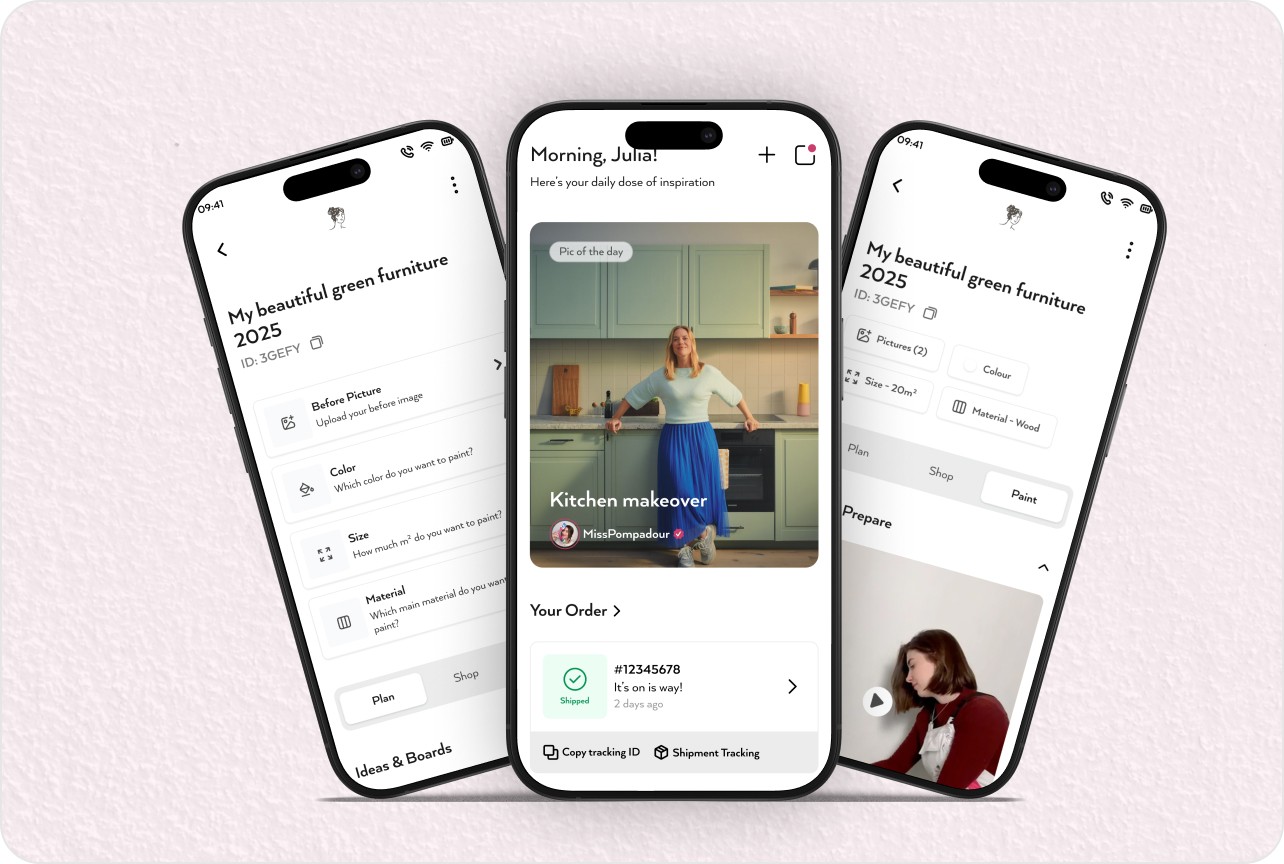
Project Diary is a guided project experience inside the MissPompadour apps that helps DIY customers plan, document, and complete their painting projects with confidence. It connects moodboards, colour selection, quantity estimation, shopping, tutorials, and community support into one continuous flow from idea to finished room.


Outcome
The Project Diary feature turns an unstructured paint idea into a step‑by‑step journey that users can follow at their own pace. Customers create a project, upload before/after photos, choose colours, calculate quantities, order the right products, watch relevant tutorials, and share the final result with the MissPompadour community.
Design Goals Achieved
Create a guided project flow that breaks painting into understandable steps: plan, shop, and paint.
Help users make confident decisions on colour, material, and quantity without expert supervision.
Connect inspiration (moodboards and community photos) with concrete actions like product selection and ordering.
Surface the most relevant tutorials, blogs, and Q&A content at the moment users need them.
Encourage users to document before/after photos and share projects back to the community for inspiration.
These goals ensured the feature serves both first‑time DIYers and experienced painters who want structure and reassurance.
Challenge
Decision Complexity
Users struggled to connect inspiration images from social media with exact colours and products available in the shop.
Estimating paint quantity for different room sizes and surfaces often required contacting customer support.
Many customers paused or abandoned projects because they weren’t sure if they had the right preparation products and tools.
Fragmented Experience
Inspiration, tutorials, Q&A, and products existed in separate sections, forcing users to jump between pages.
There was no single place where a user’s photos, chosen colours, and order details lived together as “one project”.
Progress tracking across multiple painting sessions (plan, shop, paint, share) was not visible or encouraging.
Community and Confidence
The DIY community created great content, but users couldn’t easily filter it by project type or colour to validate their own decisions.
After finishing, users had no simple way to document and celebrate their results, reducing the chance of word‑of‑mouth sharing.
These combined challenges led to uncertainty, extra support load, and lost opportunities for ongoing engagement around each project.
Process
We followed a user-centered design approach with multiple iterations and testing phases to ensure the final solution met both business goals and user needs.
Solution
Guided Project Setup
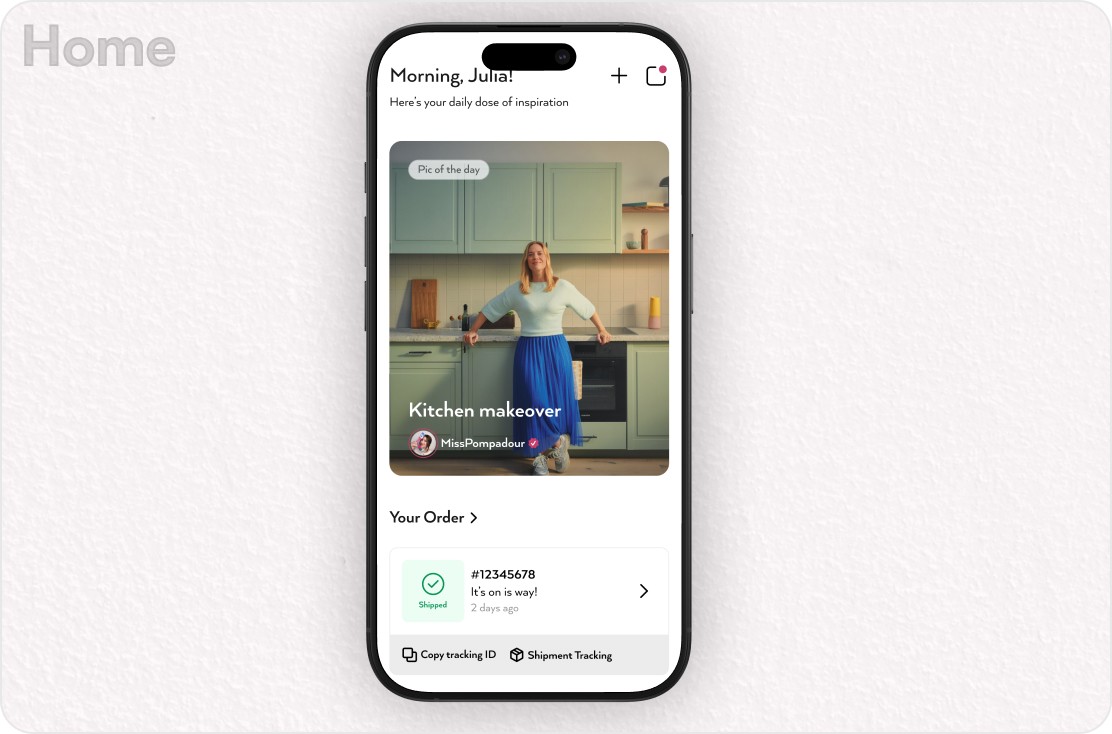
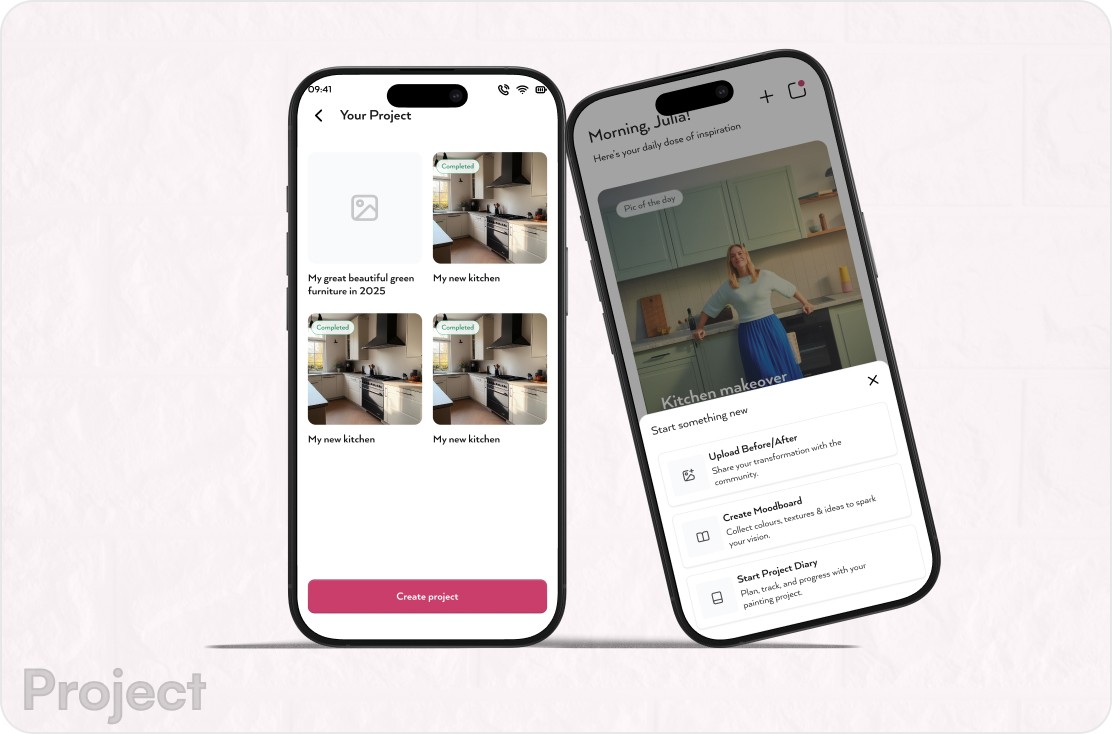
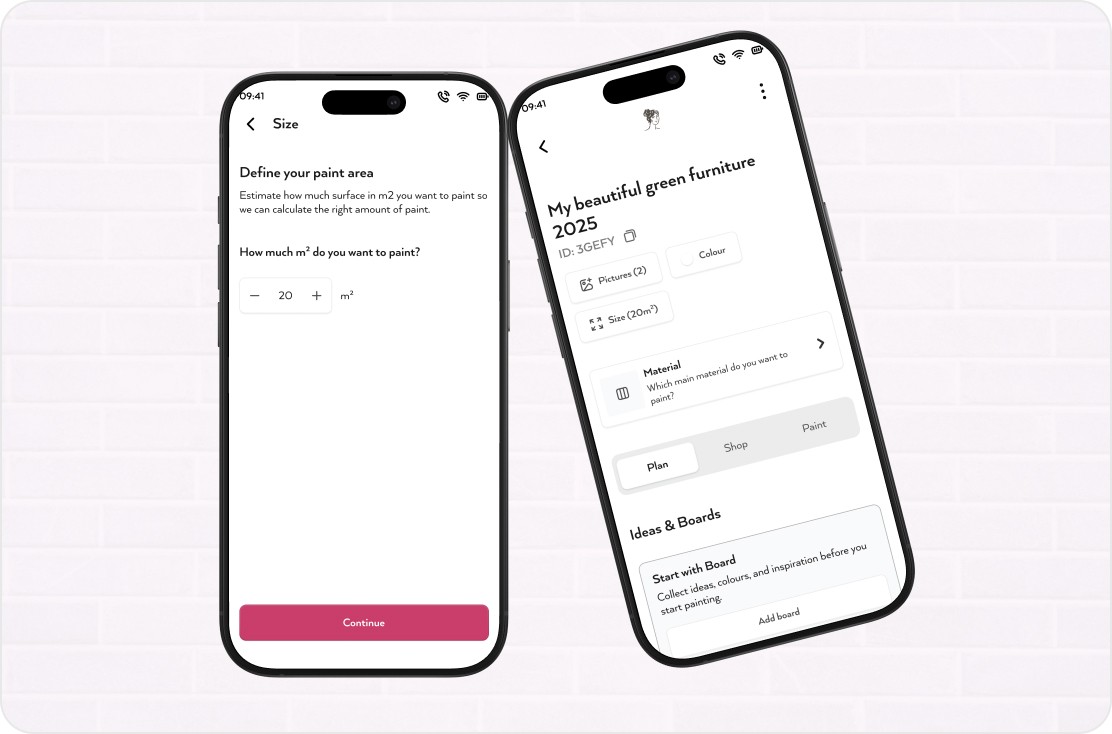
Users begin by creating a new Project Diary from the home screen, choosing what they want to paint (e.g., furniture, walls, tiles) or importing an existing project ID. The project overview then shows key parameters such as pictures, size, and material, along with three main tabs: Plan, Shop, and Paint.
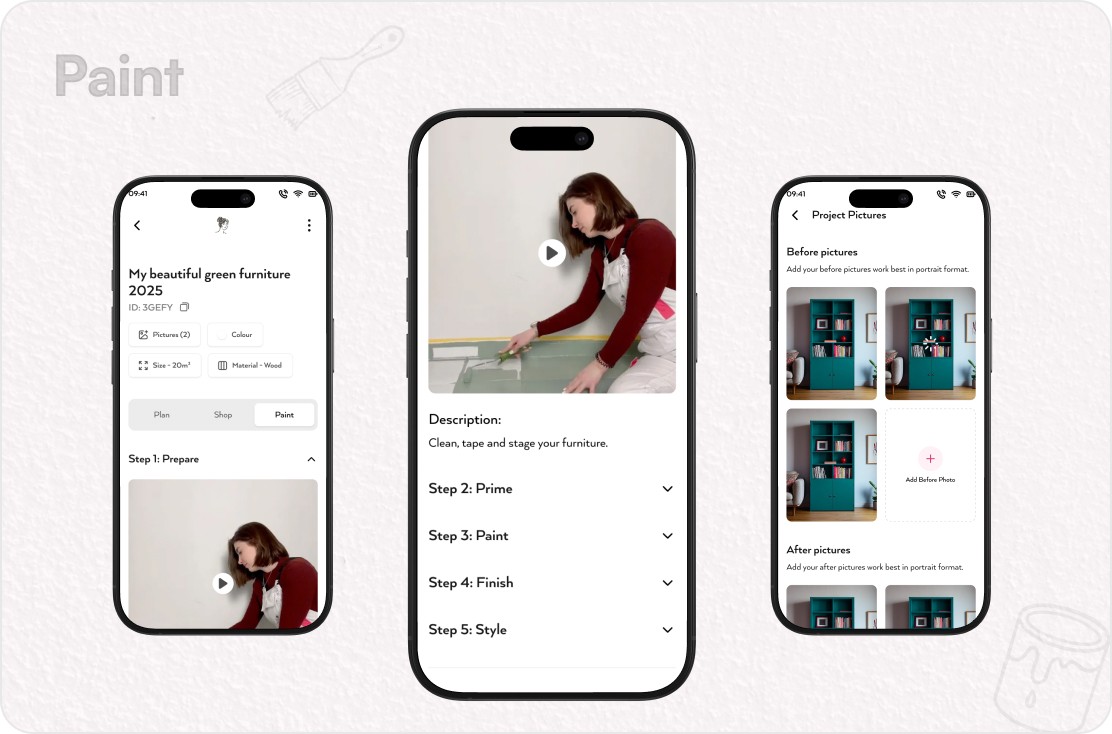
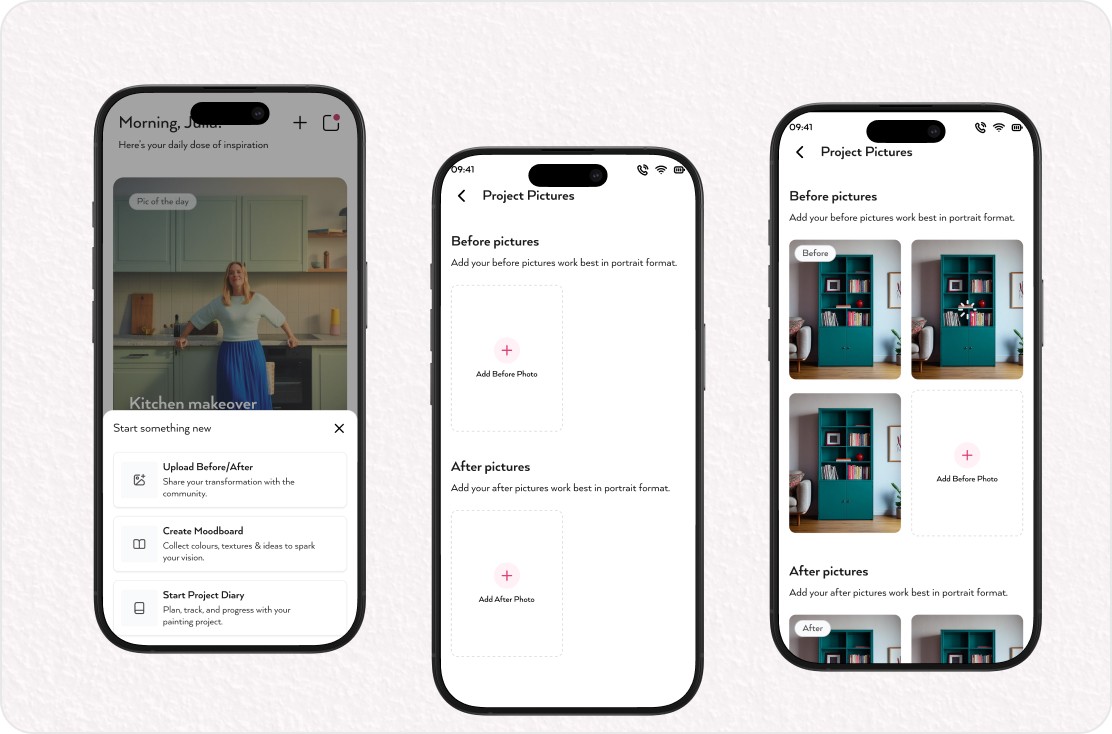
Before/after photo slots encourage users to document the transformation from the very start.
A bottom‑sheet “Start something new” menu lets users upload photos, create a moodboard, or start the project diary in one tap.
Clear project options (rename, delete) keep long‑running projects tidy and manageable.
Moodboards and Community Inspiration
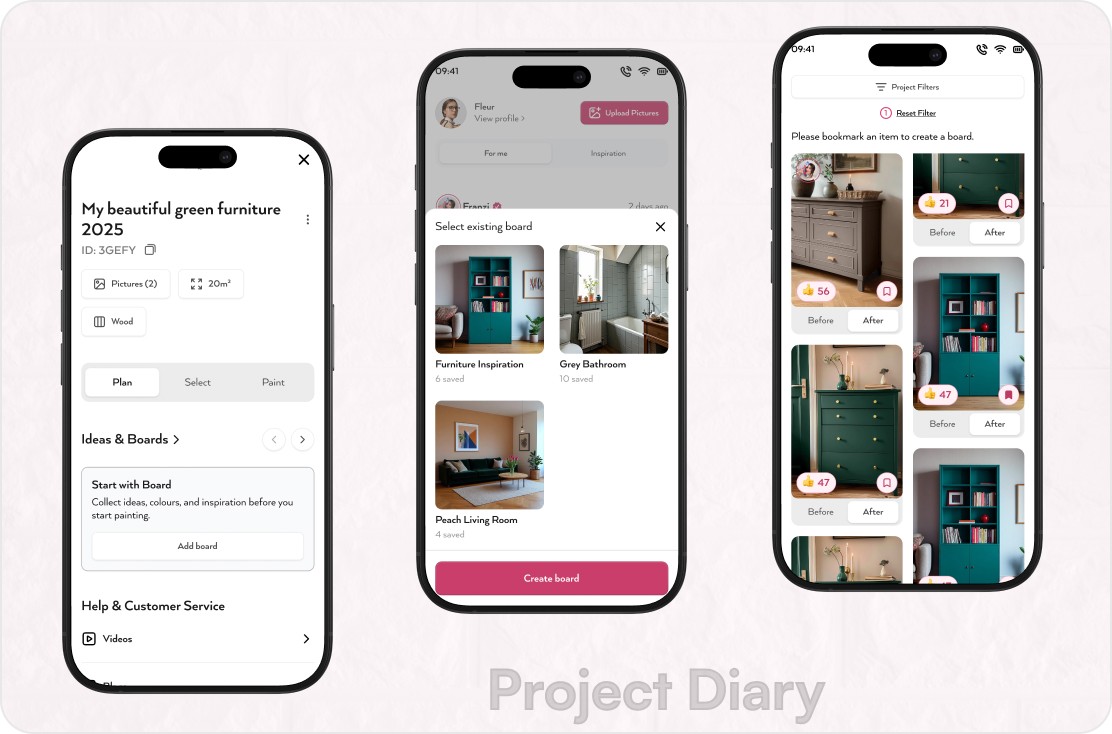
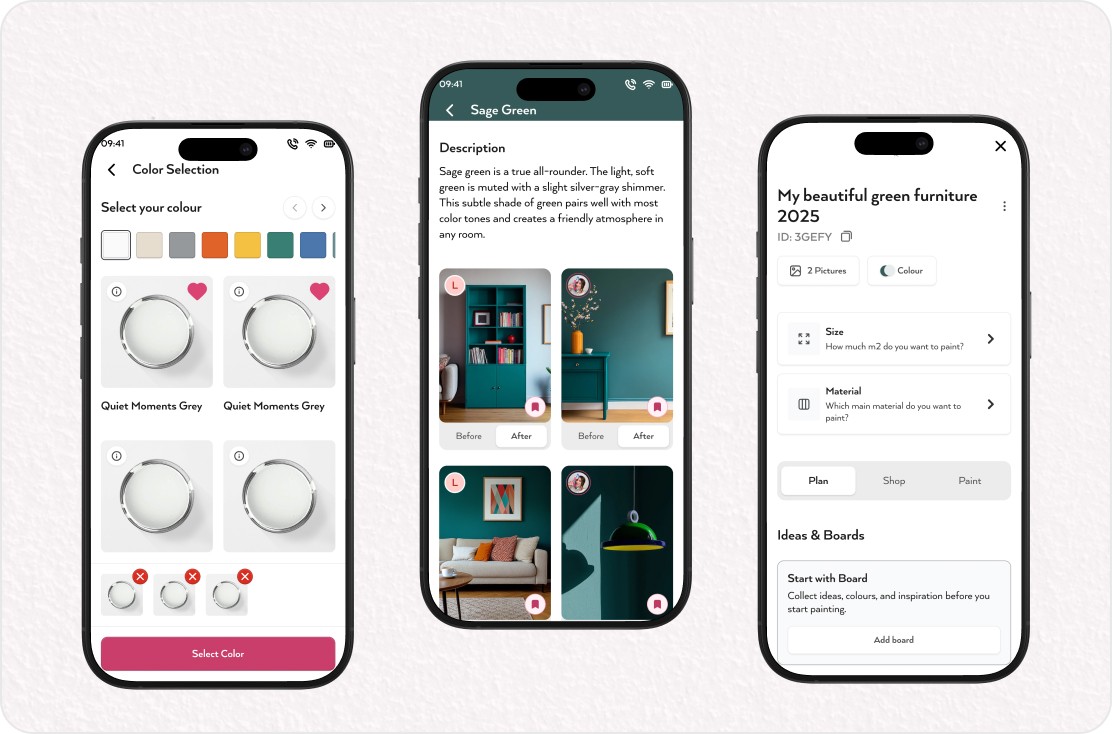
Within each project, users can create boards to collect inspiration directly linked to their current task. Community photos can be bookmarked into boards, filtered by project type, and later referenced while choosing colours and products.
A dedicated board creation flow allows users to name and organise boards per room or theme.
Bookmarking and saving patterns from the community strengthen the feeling of co‑creating with other DIYers.
Colour, Size, and Material Decisions
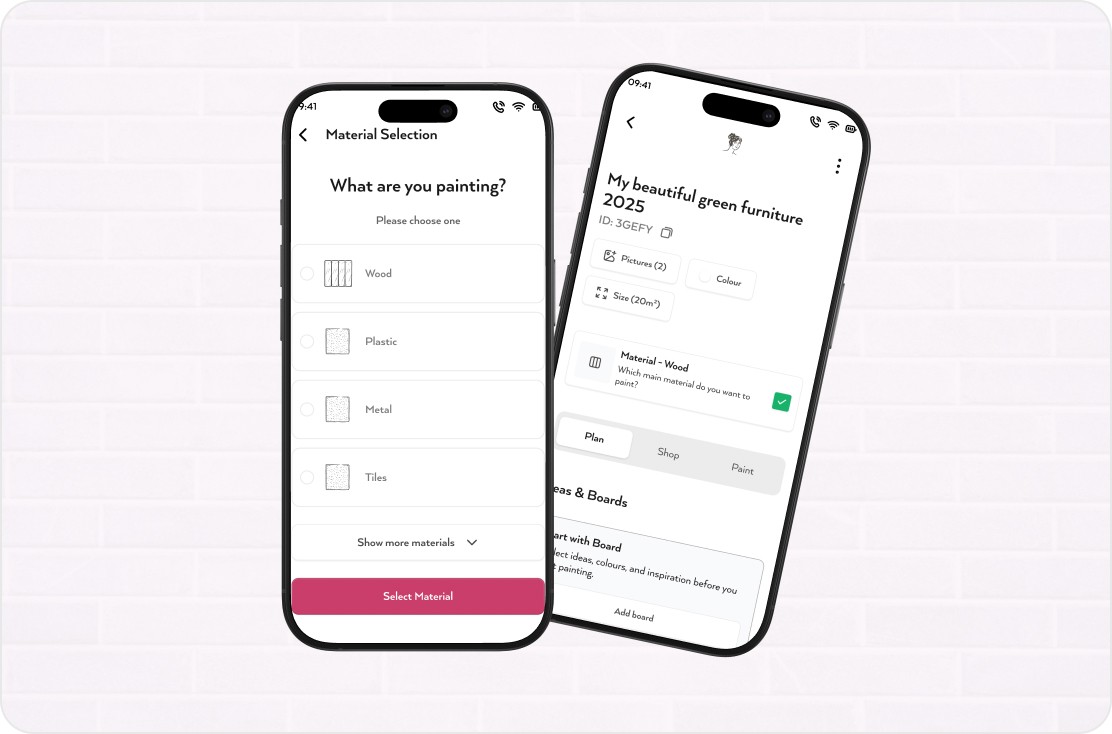
The Plan stage leads users through choosing colours, specifying room size, and selecting material type.
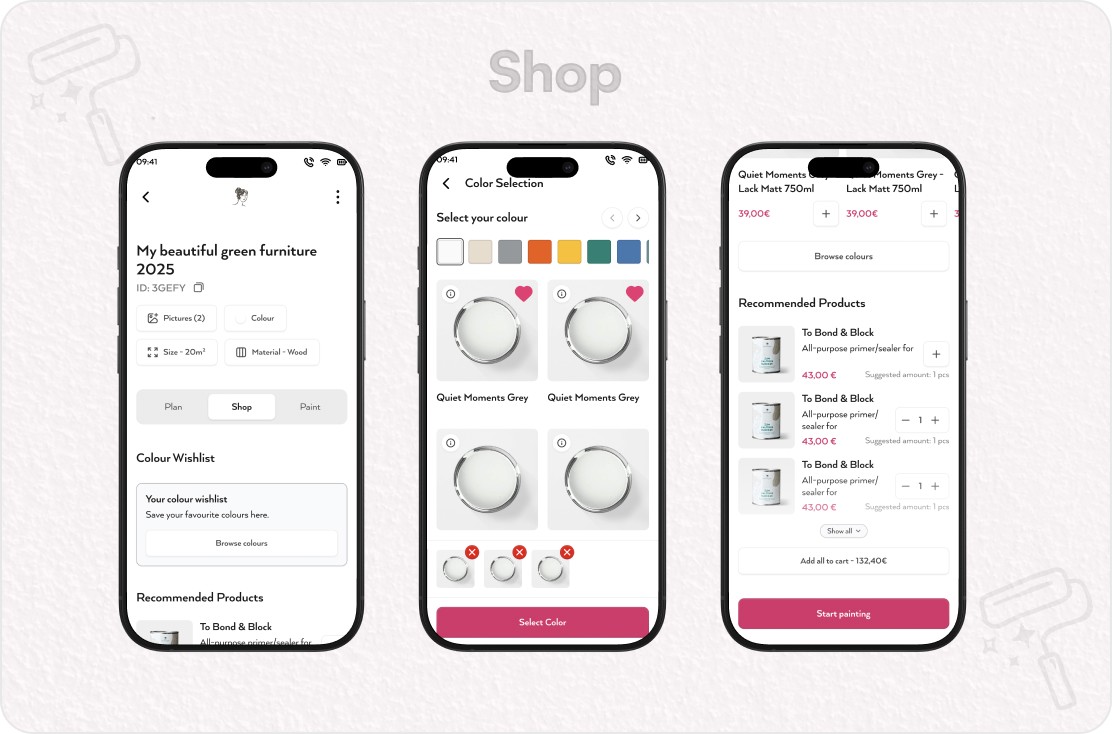
Colour selection surfaces curated swatches and large, tappable colour tiles, with a wishlist component that carries selections into the shopping step.
Size input and material selection are framed as simple questions, with clear defaults and helper notes to avoid misinterpretation.
A contextual note explains how choices impact recommended products and quantities, building trust in the system suggestions.
Shop with Confidence
In the Shop tab, the system translates project details into a recommended product list and quantity.
Users see a colour wishlist and matching products, with suggested amounts tailored to project size and surface.
A “sticky cart” pattern keeps total cost and items visible while browsing, making adjustments feel safe and reversible.
A single action allows adding all recommended items to the cart, reducing friction for users who trust the guidance.
Tutorials, Blogs, Q&A, and Support
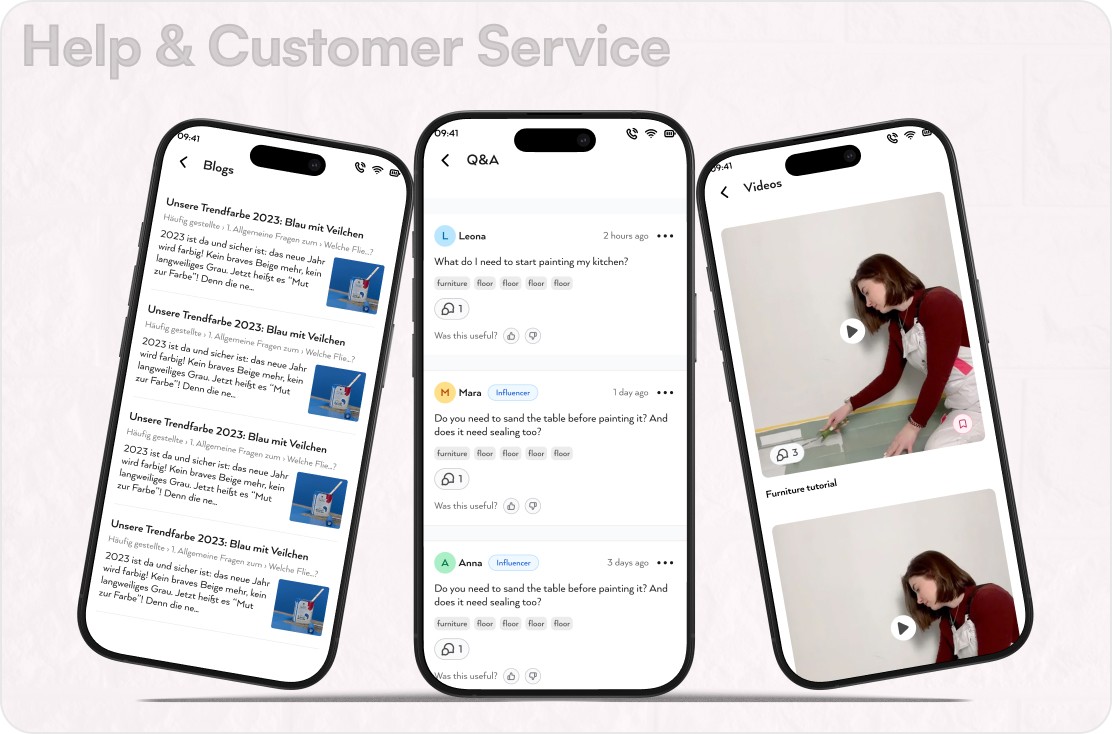
Throughout the journey, contextual content blocks surface relevant blogs, video tutorials, and Q&A threads based on the current step.
In the Plan and Paint stages, users can access how‑to videos and articles directly under their project details.
A Q&A section lets users read community answers or ask new questions, closing knowledge gaps without leaving the project.
Contact options (phone, WhatsApp, email) are grouped under a single support drawer for quick access when personal advice is needed.
Completion, Feedback, and Sharing
After painting, users are guided to upload after photos, answer a brief questionnaire, and share the project with friends or the community.
The questionnaire captures difficulty, time spent, budget, and satisfaction, giving the business rich qualitative data.
A celebratory final screen and sharing options (copy link, social channels) recognize the user’s effort and encourage word‑of‑mouth.
Completed projects remain accessible as a personal archive and future inspiration source.
Impact
Project Diary turns MissPompadour into more than a paint shop; it becomes a companion for the entire DIY journey. By integrating planning, inspiration, guidance, and commerce into one coherent experience, the feature reduces uncertainty and empowers users to paint with confidence while strengthening community engagement and brand loyalty.